RECORD IT - Extension Module for QuickPHOTOLive View Real-Time Video Recording
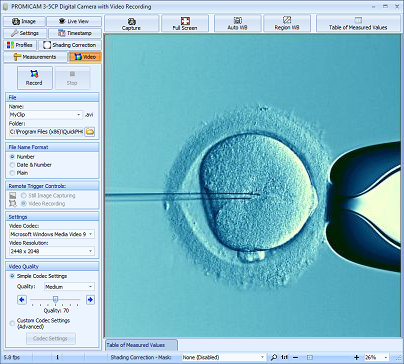
RECORD IT is an extension module for QuickPHOTO programs for live view real-time video recording.
Features
- Recording from digital cameras
- Recording from analog cameras and other sources of analog video signal
- Optional use of foot-switch remote trigger for video recording
- Resulting files with .avi extension
- Microsoft® WMV9 codec used
- Automatic denomination of video files
Supported Imaging Devices
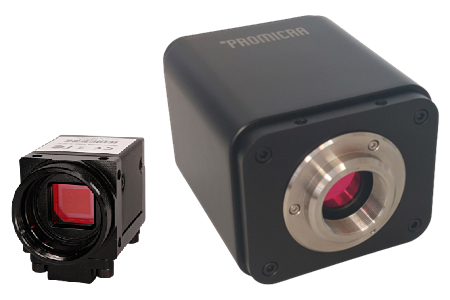
- PROMICAM PRO, PROMICAM USB 3.0 and PROMICAM LITE digital cameras
- PROMICAM USB 2.0 digital cameras
- Lumenera® INFINITY digital cameras
- Canon® EOS DSLR cameras
- IDS uEye® digital cameras
- ARTRAY ARTCAM 300MI, 500MI digital cameras
- OLYMPUS® E-system DSLR cameras (except the E-330 model)
- OLYMPUS® DP20, DP72 cameras
- Analog cameras and other analog devices (e.g. videoendoscopic systems, ultrasonographs, VCR, DVD…)
System Requirements
| Minimum Requirements | Recommended Specifications | |
| Processor | Dual-core | Intel® Core™ i5 / AMD Ryzen™ 5 or better |
| Operating Memory | 2 GB | 16 GB or more |
| Display Resolution | 1024 x 768 | 3840 x 2160 (4K) |
| Operating System | Windows® 11/10/8.1/7 | Windows® 11 |
| QuickPHOTO version | 2.3 | 4 |
| Minimum Requirements | |
| Processor | Dual-core |
| Operating Memory | 2 GB |
| Display Resolution | 1024 x 768 |
| Operating System | Windows® 11/10/8.1/7 |
| QuickPHOTO version | 2.3 |
| Recommended Specifications | |
| Processor | Intel® Core™ i5 / AMD Ryzen™ 5 or better |
| Operating Memory | 16 GB or more |
| Display Resolution | 3840 x 2160 (4K) |
| Operating System | Windows® 11 |
| QuickPHOTO version | 4 |
Related Products
Microsoft®, Windows® are registered trademarks of Microsoft Corp.
OLYMPUS® is a registered trademark of OLYMPUS Corp.
Lumenera® is a registered trademark of Lumenera Corporation
Canon® is a registered trademark of Canon Inc.
uEye® is a registered trademark of IDS Imaging Development Systems Inc.